
All mobile Secret Codes
Theoca AppsLibraries & Demo
3.814.00 Reviews
- Version
- 1.33
- Installs
- 500.00K
- Age Rating
- Everyone
Screenshots
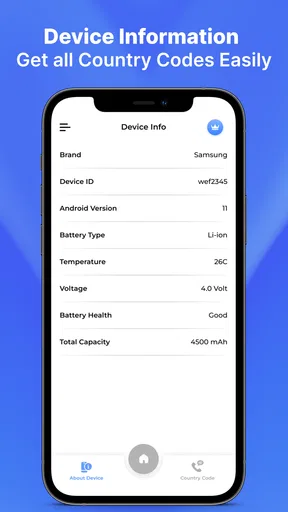
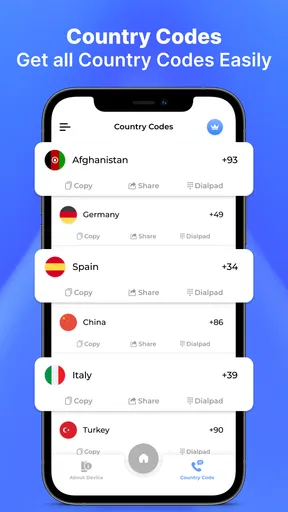
Our Review of All mobile Secret Codes
 Analysis by Appyee
Secret-code guides can turn routine phone maintenance into a small investigation: instead of guessing where a diagnostic screen lives, you look up a code and decide whether it is relevant to your device. I find that idea appealing, but I also treat these codes carefully. A shortcut is useful only when I know what it opens and when I am prepared to back out without changing anything. All Mobile Secret Codes is aimed at people who want a reference for exploring those less obvious parts of an Android phone, rather than another general-purpose settings app.
That distinction matters. The app is a free reference in the Libraries & Demo category from Theoca Apps, with a 4.0 average from around 400 ratings and more than 100,000 installs. It is rated for Everyone, and its current version is 1.17. Some in-app items cost between $0.99 and $7.99, so the basic free offer and optional purchases are worth keeping separate in your expectations. I see it as a compact lookup tool: helpful when curiosity or troubleshooting gives me a reason to search, but not a replacement for the phone’s own settings or manufacturer support.
Unlocking the Mystery
When I first stumbled upon All Mobile Secret Codes, I was intrigued by the idea of discovering hidden functions on my phone. You know that feeling when you find a secret menu in a video game? It's kind of like that but for your mobile device. This app is designed to unveil the hidden codes that can unlock features you never knew existed.
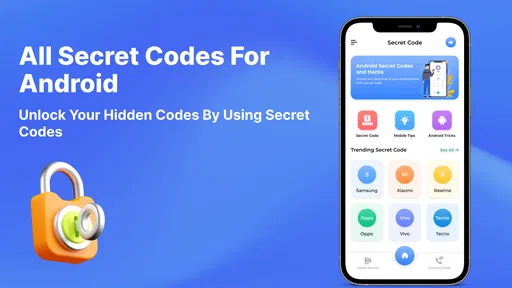
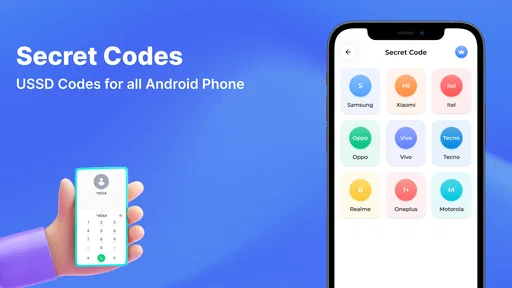
The app is pretty straightforward to use. Once installed, you’re greeted with a clean interface that’s easy on the eyes. No need to worry about getting lost in a sea of options. It categorizes codes by manufacturer, which is super handy. Whether you're rocking a Samsung, Huawei, or an older Nokia, they've got you covered.
Diving Deeper
One of the coolest things about this app is how it empowers you with knowledge. It's not just about flashy features but understanding what your device can do. For instance, you can unlock diagnostic tools that help you check the health of your phone or even reset it to factory settings without navigating through endless menus.
Now, I’ll admit, some of these secret codes are more for the tech-savvy crowd. But don't let that scare you off if you're not a tech wizard. The app provides explanations for each code, which I found incredibly helpful. It's like having a tech buddy who's always there to guide you through.
A safer way to explore codes
I would start by confirming the exact manufacturer and model of the phone in its regular settings, then use the matching section in the code guide. Brand alone is not a guarantee that a code will work: carriers, software versions, and individual models can change what a dialer shortcut does. A code that appears relevant is a lead to investigate, not a promise that the same screen will appear on every handset.
My practical rule is to read the explanation first and separate viewing from changing. If a code opens a diagnostic or information screen, I can inspect it and leave without touching controls I do not understand. If the description suggests a reset, network change, or other consequential action, I pause and use the standard settings route instead unless I have a clear reason and a backup. Knowing when not to run a code is part of using a code guide well.
This is also where the app is most useful to a careful beginner: it can help turn an unfamiliar dialer sequence into something understandable before the sequence is entered. It does not remove the need to think about the consequences. If I am helping someone else with their phone, I explain what I plan to open and let them make the final call, especially before anything that could alter stored information or connectivity.
Building a repeatable routine
A realistic use case is checking a phone after it begins behaving oddly, perhaps when calls sound unclear or a feature seems unreliable. I would first note what changed and check ordinary settings, updates, and basic troubleshooting steps. Then I would use the guide to look for a relevant diagnostic entry for that manufacturer, read its explanation, and open only an information screen that fits the problem. That order keeps a code from becoming a random experiment and makes it easier to tell whether it actually helped.
For recurring checks, I would keep a simple note outside the app with the phone model, the code I tried, what screen appeared, and whether I changed anything. That small habit is more useful than repeatedly testing several codes from memory. It also helps when a phone is replaced: the same brand does not mean the same shortcut will behave identically on a newer model. The guide can supply possible entries, while the note preserves what worked on a particular device.
I would not use secret codes as a first response to a battery that drains quickly, a weak signal, or an app that crashes. Those symptoms can have ordinary causes, and a hidden menu may not answer the question. Start with visible battery, connection, and app settings; use a code only when its description clearly matches the issue. That avoids confusing a diagnostic screen with a repair tool and reduces the chance of changing a setting simply because it was available.
Where it fits among alternatives
Compared with searching the web for individual dialer codes, a dedicated reference can be more convenient because the entries are arranged by manufacturer and accompanied by explanations. A web search may still be better when I need model-specific confirmation, current troubleshooting advice, or context from people using the same handset. The phone’s built-in settings remain the safer first stop for routine tasks because they usually label actions in familiar language and show their consequences more plainly.
Manufacturer support is preferable when a code appears to lead toward a reset, service function, or unfamiliar network option. A general code collection cannot make every shortcut universal, and a code that works on one device may be ignored or behave differently on another. I treat this app as a starting reference, not an authority that overrides the phone maker’s instructions. That balance is especially important for anyone who relies on the device for work, accessibility, or urgent communication.
Who will get the most from it
I can see this being useful for curious Android owners who enjoy learning how their devices are organized, people who help friends and family with basic phone questions, and hobbyists who want a convenient place to look before researching a code further. It is less suited to someone who expects one-tap repairs, automatic diagnosis, or a guaranteed shortcut for every model. If you only want to adjust brightness, manage storage, or reset a phone safely, the normal settings menus are clearer and less mysterious.
There is also a small learning curve in judging which entries are appropriate. An explanation makes a code easier to interpret, but it cannot make every action risk-free or ensure compatibility. I would keep the phone charged, avoid experimenting when I need it immediately, and never treat a code as harmless just because it is short. Those precautions are simple, yet they make the difference between useful exploration and an avoidable interruption.
Why It Stands Out
What makes All Mobile Secret Codes stand out is its comprehensive database. The developers have done a stellar job compiling codes for a wide range of devices and continually updating them. This means you’re not left with outdated information, which is crucial in the fast-paced world of technology.
Moreover, the app doesn't bombard you with ads, which is a huge plus in my book. There's nothing more annoying than trying to navigate an app while dodging pop-ups left and right. Here, the experience is smooth and uninterrupted, allowing you to focus on exploring your device.
Because codes can be sensitive to the phone model and software, I still prefer to verify anything consequential with the manufacturer before acting. The app’s strength is making a broad collection easier to browse; its natural limitation is that a reference cannot know the exact state or configuration of the handset in my hand. I would also check the purchase screen carefully before choosing any optional item, rather than assuming every part of the experience is included for free.
Final Thoughts
So, is All Mobile Secret Codes worth your time? Absolutely! Whether you're a tech enthusiast or just curious about what your phone can do, this app is a fun and informative tool to have in your arsenal. It's like having a backstage pass to your device, revealing functions that can enhance your mobile experience.
In a world where technology evolves rapidly, staying informed is key. And this app not only informs but also empowers you to make the most out of your smartphone. So go ahead, give it a whirl, and unlock the secrets that lie within your mobile device!
My recommendation comes with one condition: use it as a reference, not as an invitation to try every entry. The app is free to start, supports Android 7.0 and later, and includes optional in-app purchases. If you enjoy learning what your phone can show you and are willing to check compatibility before acting, it makes sense to keep around. If you want guaranteed fixes or would rather avoid technical menus entirely, stick with normal settings and official support. That is the trade-off: a convenient doorway into lesser-known phone functions, paired with the good judgment needed to decide which doors are worth opening.
Privacy and Permissions
See what permissions an app requests and how it handles your data.
- Location
- approximate location (network-based), precise location (GPS and network-based)
- Phone
- read phone status and identity
- Camera
- take pictures and videos
- Wi-Fi connection information
- view Wi-Fi connections
- Device ID & call information
- read phone status and identity
- Other
- view network connections, pair with Bluetooth devices, access Bluetooth settings, connect and disconnect from Wi-Fi, full network access, change your audio settings, control vibration, prevent device from sleeping
Verdict
Strengths of All mobile Secret Codes
- Unlocks hidden settings for customization.
- No internet required for code functionality.
- Compatible with most Android devices.
- Quick access to diagnostic tests.
- Enhances device troubleshooting capabilities.
Limitations of All mobile Secret Codes
- Limited support for iOS devices.
- Risk of voiding device warranty.
- Some codes may not work on all models.
- Potential for accidental data loss.
- Requires technical knowledge to use safely.
Similar Picks in This Category
View All
PGT: GFX, Launcher & Optimizer
Trilokia Inc.4.5

AusweisApp Bund
Governikus Service GmbH3.7

Cardboard
Google LLC3.2

Gamers GLTool with Game Tuner
Trilokia Inc.4.5

Multi Web Chat - Read Secretly
World Scan & Cleaner3.8

App Cloner Premium & Add-ons
App Listo1.9
Frequently Asked Questions
What are mobile secret codes?
Mobile secret codes are special codes that can be entered into your phone to access hidden functions and settings. These codes can help you troubleshoot issues, access diagnostic tools, or unlock hidden features. It's important to use them carefully, as some codes can alter critical settings.
Are mobile secret codes safe to use?
While many mobile secret codes are safe and useful for diagnostic purposes, some can make significant changes to your phone's settings or data. It's crucial to only use codes from trusted sources and proceed with caution. Always back up your data before using any unfamiliar codes.
Can using mobile secret codes void my warranty?
Using mobile secret codes may void your warranty if they lead to unauthorized changes or damages to the device. Manufacturers have specific guidelines, and altering critical settings might lead to warranty issues. Always check your warranty terms and consult with the manufacturer if in doubt.
Do mobile secret codes work on all devices?
Not all mobile secret codes work on every device. Codes can vary based on the manufacturer and the model. Some codes are universal, while others are specific to certain brands like Samsung, HTC, or LG. It's essential to ensure the code is compatible with your specific device before using it.
How can I find reliable mobile secret codes?
Reliable mobile secret codes can often be found on trusted tech websites, forums, or from the official support pages of device manufacturers. It's important to cross-verify codes with multiple sources to ensure accuracy. Avoid using codes from unverified sources to prevent potential risks to your device.
